Context
SETEC, a leading engineering firm with 500+ consultants, was losing project knowledge and repeating mistakes without a centralized tool, making onboarding harder. They engaged Alegria.Solutions to build a durable, team-wide solution that captures and leverages REX (return on experience) to boost collective efficiency.
The project’s goal
We kicked off the project with the goal of launching a budget-friendly MVP in just one month, starting with the concept phase in 2 weeks, building a custom app from the ground up, focusing on the essential features first.
This way, we can test it with SETEC internal teams, gather feedback, and then develop more advanced features later. Eventually, SETEC want to offer to their clients access to valuable resources.
Reminder: What's an MVP?
MVP, or Minimum Viable Product, is a version of a new product that includes only the essential features necessary to satisfy early adopters and gather feedback for future development.
Key Features
Inscription & Onboarding
Dashboard Overview
CRUD Project Notation
CRUD REX Notation
Ratings
Profile Management
Admin Control
So, the users that I design for are..
SETEC's project managers will act as project viewers and editors REX.
The SETEC admins team will handle account management and oversee access and roles.
Clients of SETEC will have viewers and admin roles. (Added later on V.01)



Principal users
Project Managers, engineers consultants.. at SETECs or client’s company will act as project viewers and editors REX.
“Super” admin @ SETEC
The SETEC admin team manages accounts, overseeing access and roles. This account also controls public and private projects, as well as archives.
Define the real pain
The steps before creating: empathy.
First, I need to outline the key pain points, the key experience I want to create before diving into the design.
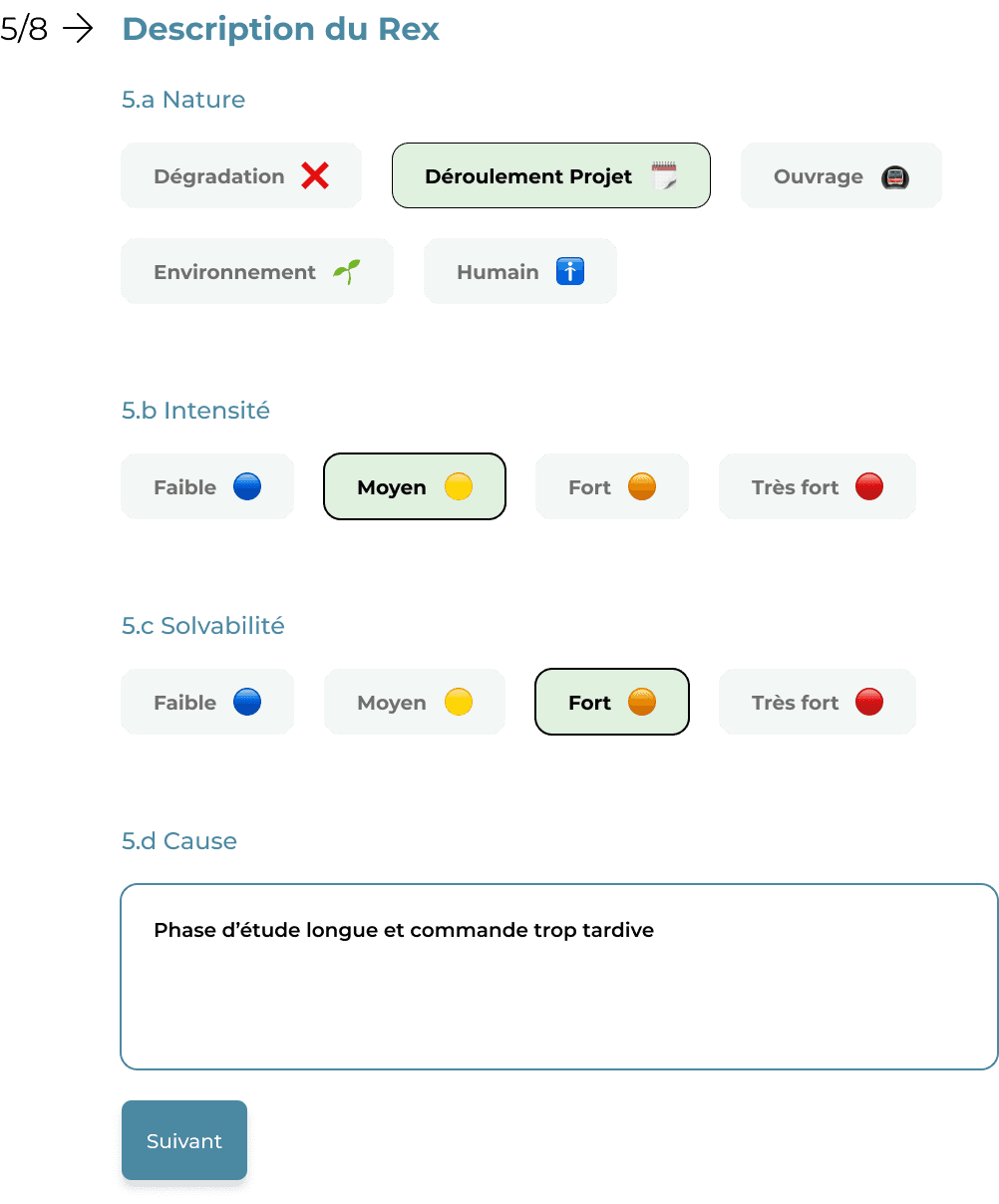
A fraction of the initial form.
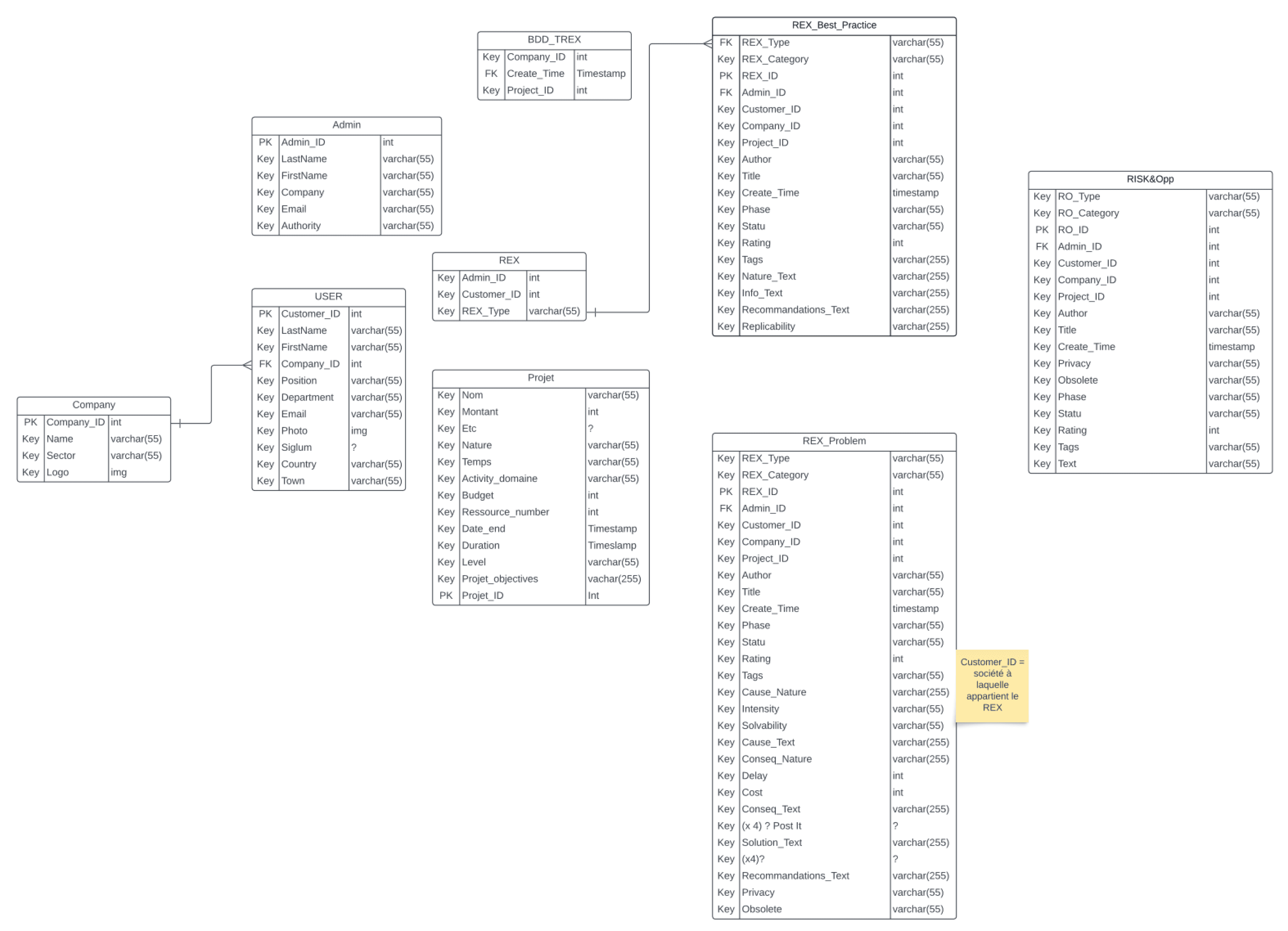
The database overview
"Walk me through how you handle this today ? ”
The engineers at SETEC were using a custom form and a home-made CMS to fill out and store their important REX. This method is pretty time-consuming and makes it tough to find, share or update the REX when necessary.
Still, these forms and the database provided a solid foundation for organizing the information needed in their REX and how it relates to projects and other elements.
Identified pain points : Chaos when systems are missing
Create, document and updating on-going projects risk to be time-consuming
Finished projects easily forgotten to update
Searching relevant projects for references can be time-consuming
“
...We don’t really have time for setting up another process for that...
SETEC Engineer
in my memory..
Design Statement
How might we design an intuitive tool that helps engineers centralize, organize, and update project REX (retours d’expérience)?
Design the solution
Benchmarking, moodboard & branding
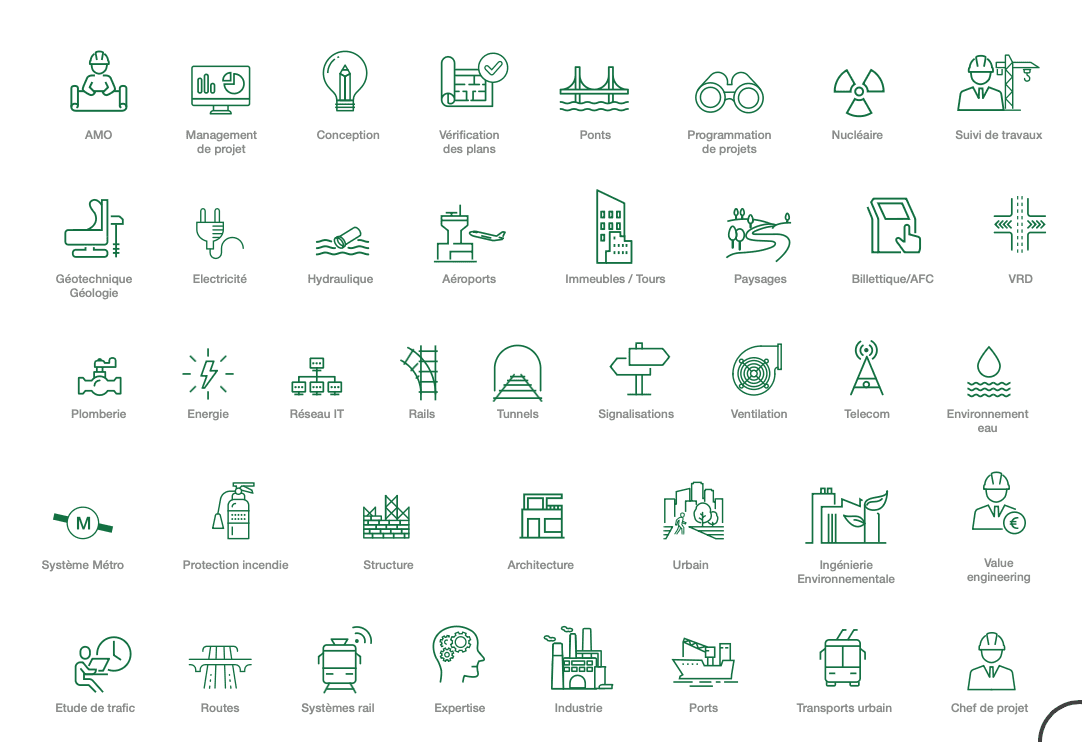
In this step, I gather inspiration by selecting the best existing ideas. I search for applications that are simple, clean, and well-structured, ensuring they align with SETEC’s brand guidelines.
Mapping the experience across user segments and hierarchies.
This meant identifying user segments, their goals, and the paths they take. I also mapped how information connects to each role : what they need, when they need it, and how they access it.
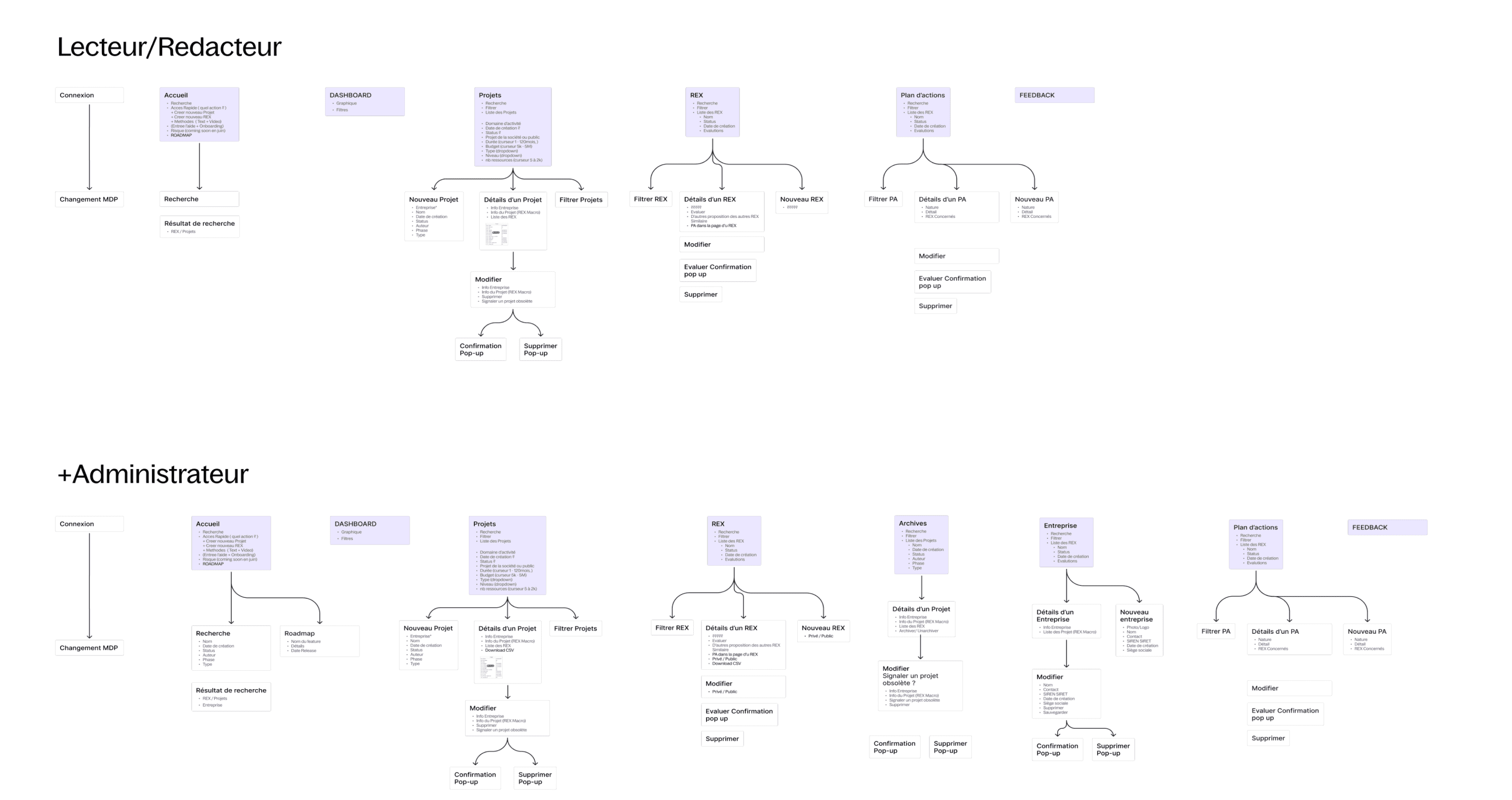
An overview example of the application architectures for the MVP
Modular prototypes, co‑created and validated
To move fast and stay aligned, I pre‑designed the key screens in a modular Lego/Bento style, then ran live co‑design workshops with SETEC’s engineers.
We could add and rearrange widgets on the spot, validate flows in real time, and capture immediate feedback.
This approach triggered the IKEA effect*: teams saw their input reflected and adopted the solution quickly—often within an hour. It also gave me actionable insights that cut revisions later.
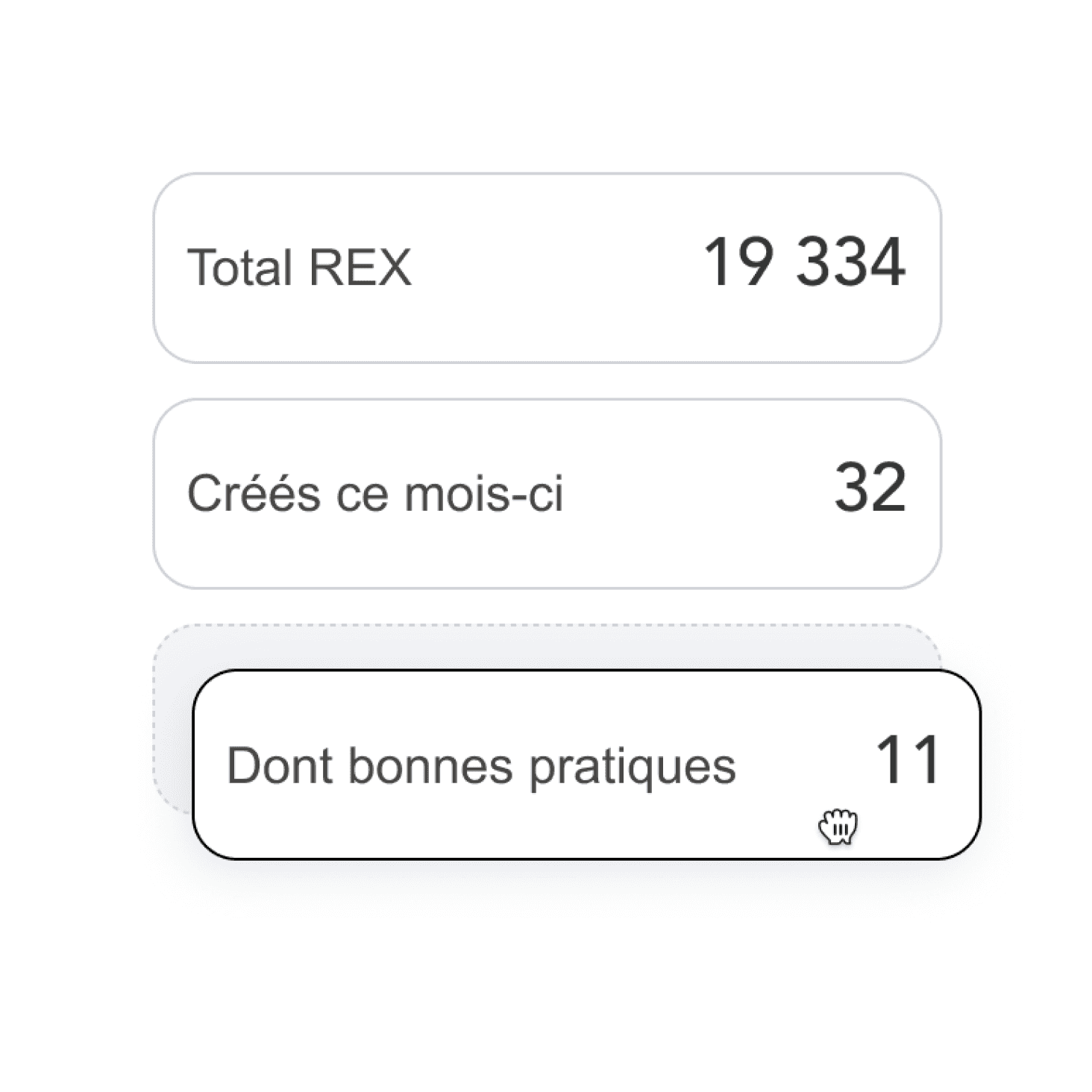
Illustration of the pre-made widgets, ready to add and customise during the design session
(*) IKEA effect ?
Cognitive bias where people value things more when they participated create them, even if it’s imperfect.
Some of the design decisions I have made to create a simple, intuitive tool.
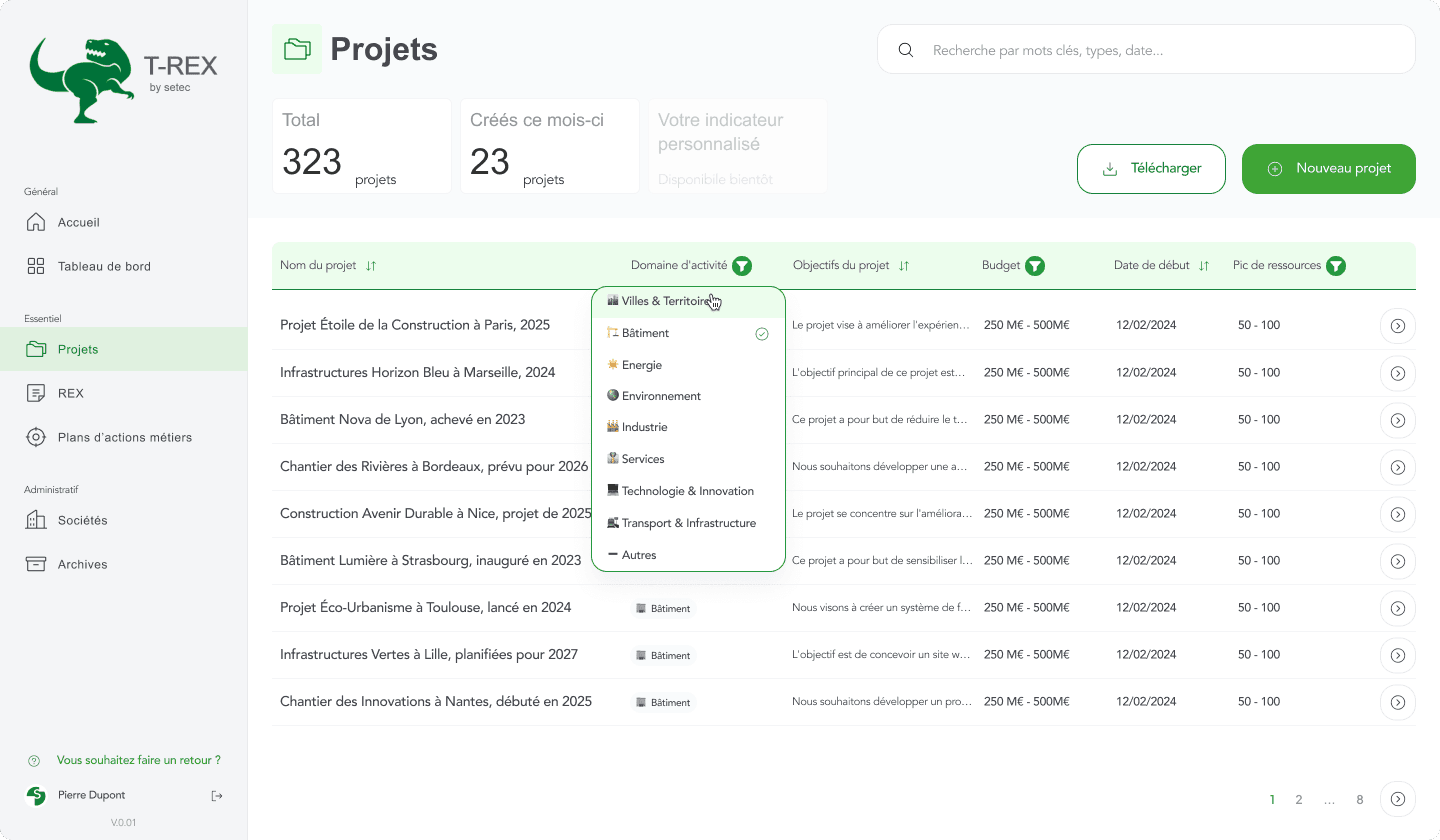
Optimising data filter & search
Before developping an intelligent search (coming after V01), for the MVP, to firstly help the users to find what they needed the most effective way, I intergrated a filter/sort directly within the data base.

Keeping primary, secondary actions consistent
For principal actions accross elements (CRUD for REX, Projets, ... ), I kept a coherent placement thoughout the application for easy acces, and opted the side-overlays, to keep users in context, reduce navigation friction, and speed up multi-step tasks. This also builds muscle memory, speeds decision-making, and cuts mistakes.
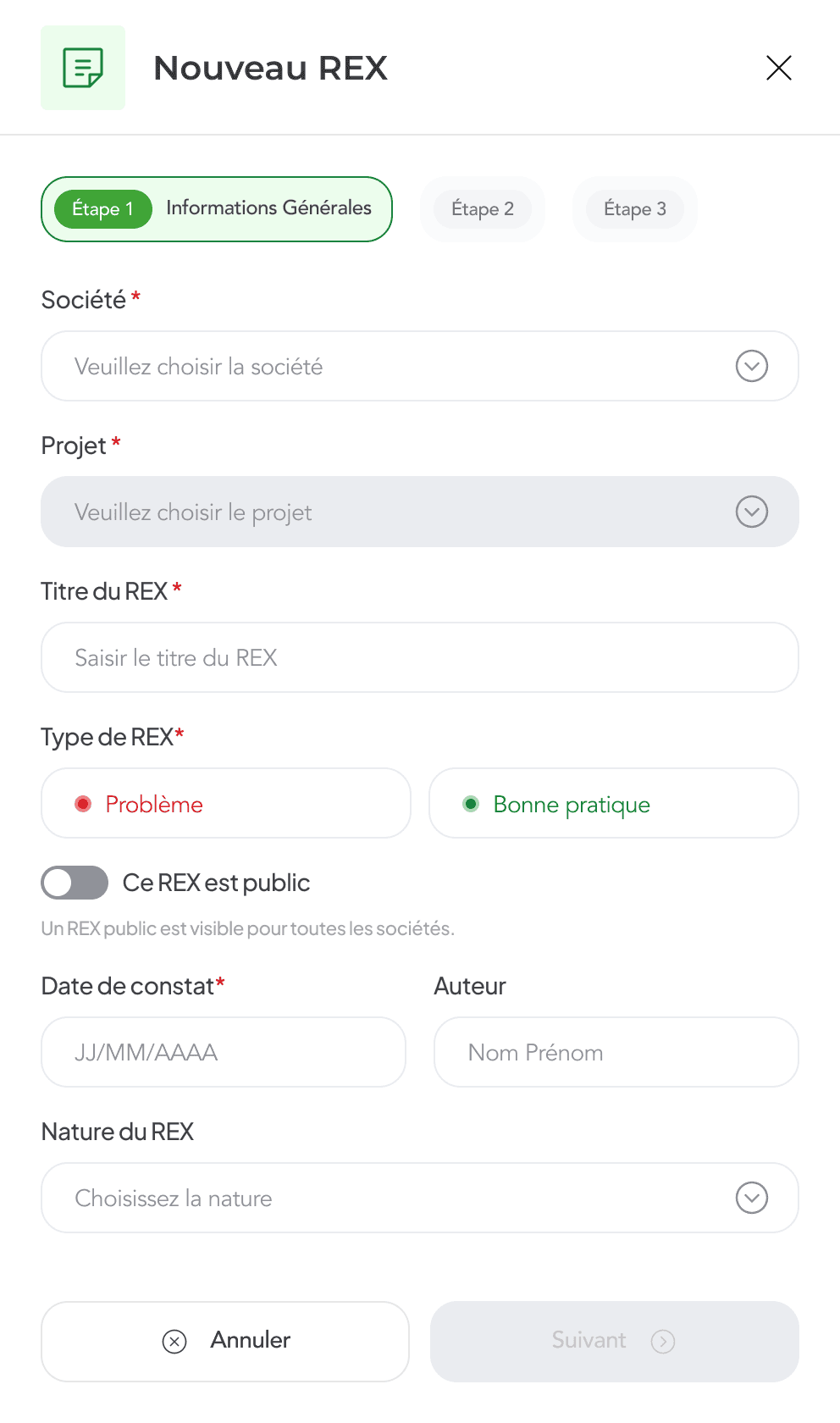
Simplify input
By transforming lengthy forms into step-by-step processes and replacing text fields with dropdowns, selectable chips, and other appropriate elements, I created a visually less cluttered form that is more fluid and less tedious to complete.
Tests & Delivery
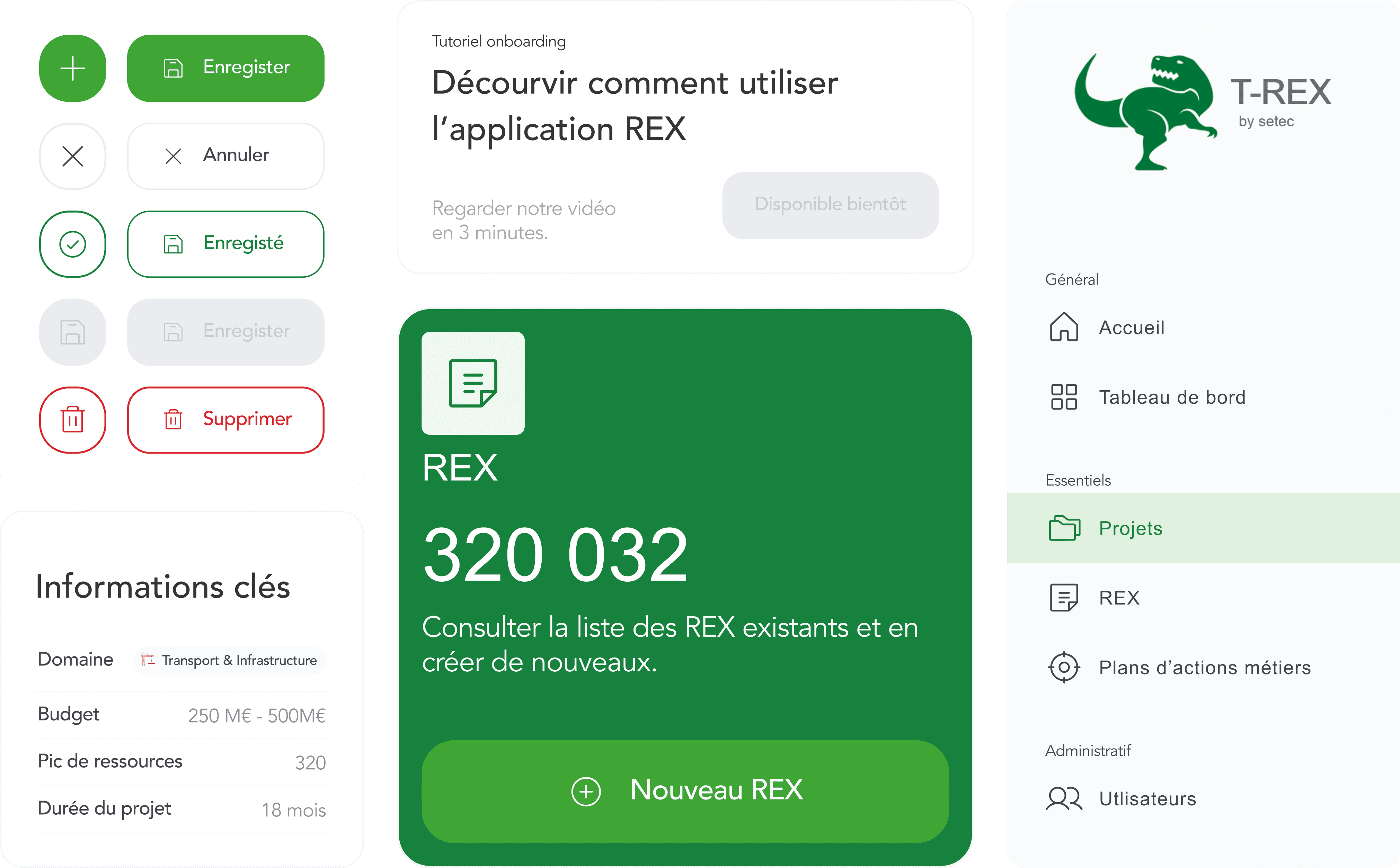
UI Kits
The interface screens are all set for dev, and it got a UI kit too. Everything's organized, styled in Figma, making it easy for future updates.
Feedback received from intern users
The MVP platform has been tested internally and received positive feedback: engineers highlighted its ease of use as well as the aesthetics and clarity of the informations.
Besides, we have also added an option in visible everywhere in interfaces for users to give us easy feedbacks with the message: "Would you like to provide feedback?". This helps to highlight and identify technical issues or UX concerns.
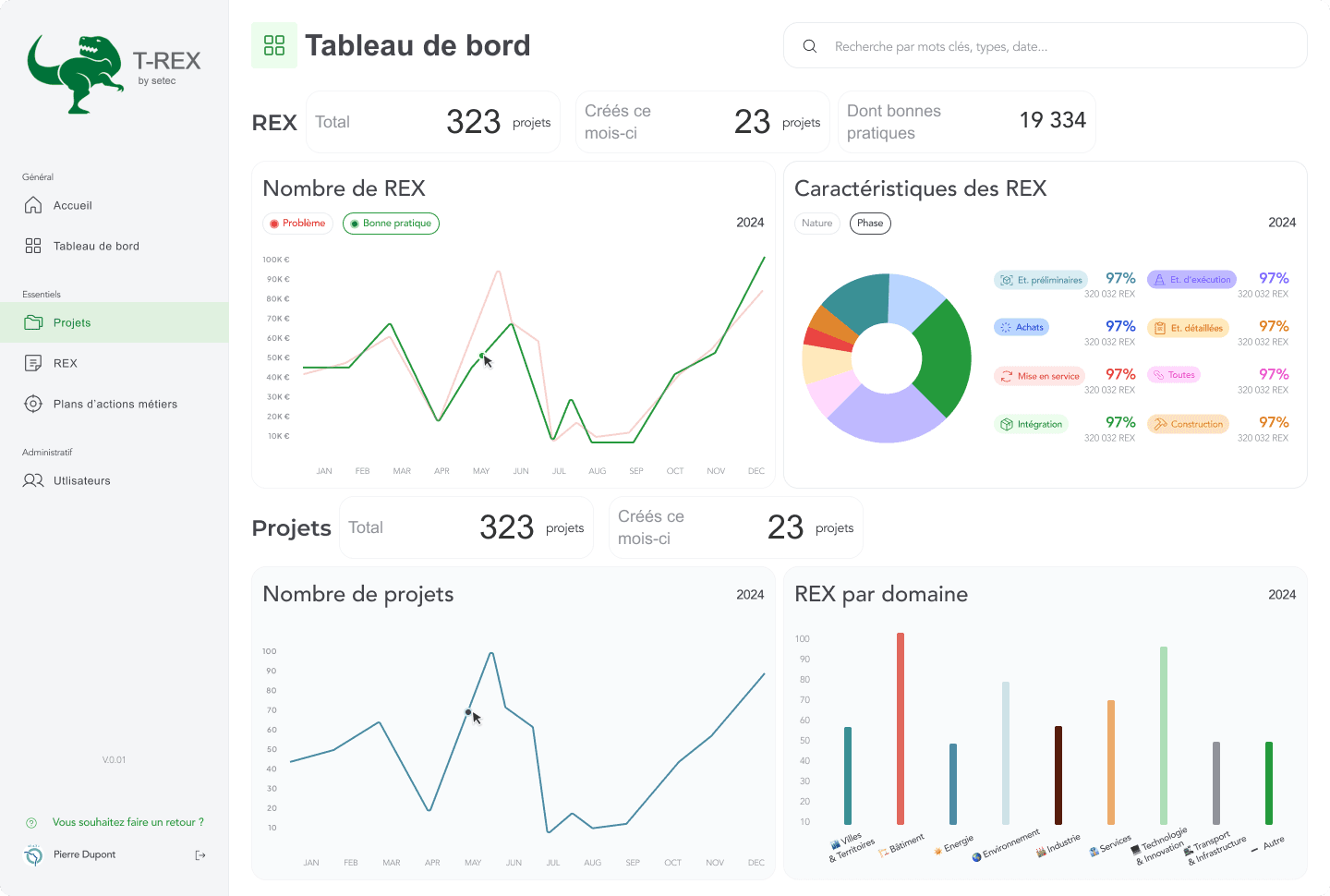
Growing into V01, V02,…
After a few months of testing the MVP internally at SETEC, the application continued to grow into V01, V02... adding new roles of users, cool new features like AI-powered search and summaries (another case study coming soon).
Officially live !
Now, the application, changed the name into ReXplore, is officially live and available for everyone and their clients (more demo available at @setec).